Your cart is empty
Looks like you haven't added anything to your cart yet









Cut the Cord With Superbox 7: A 2026 Guide
Table of Contents
- What Cord Cutting Actually Means
- Best Cable Alternatives 2026
- Why Choose Superbox 7 for Cord Cutting
- Cord Cutting Internet Requirements
- Superbox S7 Pro Setup Guide
- Hardware Specifications and Performance
- Conclusion
Last Updated: August 30, 2026
What Cord Cutting Actually Means
Cord cutting means canceling your traditional cable or satellite TV subscription and switching to streaming services and internet-based content delivery instead. It's not about cutting the physical cord to your television, it's about abandoning the monthly cable bill and the bundle of channels you'll never watch.
The shift from cable to streaming represents a fundamental change in how people consume television. Instead of paying for hundreds of channels and watching whatever's broadcast on a schedule, cord cutters choose specific streaming platforms, watch on-demand content, and often pay significantly less per month. Many households find they can recreate their favorite shows and live events through a combination of streaming services and specialized devices.
What makes cord cutting viable today is the convergence of three factors: high-speed broadband becoming standard in most homes, streaming services expanding their content libraries dramatically, and affordable streaming hardware making it simple to connect any television to the internet. A streaming device like the Superbox S7 Max transforms any TV into a smart entertainment hub, eliminating the need for a cable box entirely.

The appeal is straightforward. Cable subscribers typically pay between $80 and $150 monthly for service they don't fully use (fcc.gov). Cord cutters can assemble their preferred entertainment mix for a fraction of that cost, with greater control over what they watch and when they watch it. The transition requires broadband connectivity and a streaming device, but the long-term savings and flexibility make it attractive for households ready to abandon traditional television.
Best Cable Alternatives 2026
Several legitimate alternatives have emerged to replace traditional cable subscriptions. These options range from individual streaming services to comprehensive streaming devices designed specifically for cord cutters.
Streaming Service Bundles
Services like Disney Bundle (combining Disney+, Hulu, and ESPN+) provide entertainment, movies, and sports in one subscription. Apple TV+ offers original content alongside a rotating library. Netflix remains the largest streaming platform with the broadest content catalog. These services work on nearly any device with internet connectivity, though they require multiple subscriptions if you want diverse content types.
Live TV Streaming Services
Platforms designed to replace cable directly include YouTube TV, Hulu + Live TV, and Sling TV. These services deliver live television channels over broadband, offering DVR functionality and on-demand access similar to traditional cable. They typically cost $50-80 monthly and include major networks, sports, and news channels. The trade-off is less channel variety than cable but more flexibility and lower cost.
Specialized Streaming Devices
Hardware solutions like the Superbox S7 Max represent a different approach. These Android-based devices come pre-loaded with streaming apps and often include features like 6K content support, responsive processors, and extensive app compatibility. They transform any television into a smart entertainment platform without requiring multiple subscriptions to individual services. The Superbox S7 Max, available through 2mepromo.com, delivers premium streaming performance at $399.00, offering a one-time hardware investment rather than recurring monthly fees for individual services.
Free and Ad-Supported Options
Platforms like Pluto TV, Tubi, and Freevee offer free streaming with advertisements. These services have grown substantially, providing movies, TV shows, and live channels without subscription costs. While ad-supported content interrupts viewing, many cord cutters use these alongside paid services to minimize overall spending.
The key difference between these alternatives lies in their approach. Individual streaming services require juggling multiple subscriptions and apps. Live TV streaming services mimic cable's channel-based model. Specialized streaming devices consolidate access to multiple services through a single interface. Cord cutters typically combine these approaches based on their specific viewing habits and budget.
Why Choose Superbox 7 for Cord Cutting
The Superbox S7 Max addresses the core frustration of cord cutting: managing multiple streaming services through different apps and interfaces. This Android-based streaming device consolidates access to your entertainment ecosystem, eliminating the need to navigate between apps or remember which service carries which show.

The device supports 6K streaming resolution, meaning it handles the highest quality content available today and remains future-proof as streaming standards evolve. Its responsive processor ensures smooth navigation and buffer-free playback, critical for households with multiple simultaneous viewers or older internet infrastructure. The extensive app compatibility means you can access virtually every major streaming service from one device, reducing the clutter of multiple boxes or relying on your TV's built-in smart features.
Setup is straightforward. Connect the Superbox S7 Max to your television via HDMI, plug in the power adapter, and connect to your broadband network via WiFi or Ethernet. From there, you authenticate into your existing streaming service accounts, Netflix, Hulu, Disney+, YouTube TV, or whatever combination you've chosen. The intuitive remote control and user interface make navigation simple, even for less tech-savvy household members.
What sets the Superbox S7 Max apart from generic Android streaming boxes is its optimization for cord-cutting workflows. The device prioritizes reliability and performance over unnecessary features, ensuring consistent playback quality. Its hardware specifications are designed specifically for streaming demands: adequate processing power for smooth app performance, sufficient memory for responsive navigation, and reliable network connectivity to prevent buffering.
The $399.00 investment in the Superbox S7 Max pays for itself within months compared to maintaining a cable subscription. Unlike cable boxes, which you rent from your provider, this device is yours. No monthly fees, no service charges, no equipment rental costs. You maintain control over your entertainment setup and can take the device with you if you move.
Cord Cutting Internet Requirements
Streaming video over broadband requires adequate bandwidth and network stability. The quality of your internet connection directly determines your streaming experience, insufficient bandwidth causes buffering, pixelation, and frequent pauses.
Minimum broadband requirements vary by streaming quality. For standard definition (SD) streaming, most services recommend 2.5 Mbps download speed (fcc.gov). High-definition (HD) content typically requires 5-8 Mbps. Ultra-high-definition (UHD) and 4K streaming demand 15-25 Mbps depending on the service and bitrate (peer-reviewed research). If you're streaming 6K content on the Superbox S7 Max, you'll want speeds at the higher end of this range, ideally 25 Mbps or faster.
These are minimum speeds for a single stream. Households with multiple people watching simultaneously need proportionally higher bandwidth. If two people watch 4K content while someone else streams music and another browses the web, your total bandwidth demand could exceed 50 Mbps. Most internet service providers offer speed tiers well above these minimums, but it's worth checking your actual speeds to confirm adequacy.
Network stability matters as much as raw speed. A consistent 15 Mbps connection provides better streaming than an inconsistent 30 Mbps connection with frequent fluctuations. Wired Ethernet connections deliver more stability than WiFi, particularly for primary viewing devices. If your Superbox S7 Max sits far from your router, a WiFi extender or mesh network system can improve signal strength and consistency.
Latency and data caps present additional considerations. Streaming services tolerate higher latency than real-time applications like video calls, so this rarely becomes a limiting factor. Data caps, however, directly impact cord cutting viability. Streaming video consumes significant data, approximately 3 GB per hour for HD content, 7 GB per hour for 4K. Households streaming several hours daily can quickly exceed typical data caps. If your internet service provider enforces caps, verify that your plan accommodates your expected streaming volume before fully committing to cord cutting.
Superbox S7 Pro Setup Guide
What You'll Need Before Starting
Gather these items before beginning installation. You'll need the Superbox S7 Max device itself, an HDMI cable to connect to your television, and a power adapter (included with the device). Ensure your television has at least one available HDMI port.
Verify your broadband connection is active and stable. Have your WiFi network name and password ready, or prepare an Ethernet cable if you prefer a wired connection. If you're using existing streaming service accounts, gather your login credentials for the services you subscribe to, Netflix, Hulu, Disney+, YouTube TV, or whichever platforms you've chosen.
Identify a suitable location for the device. The Superbox S7 Max performs best with good ventilation and shouldn't be enclosed in tight spaces. An entertainment center shelf or area near your television works well. Avoid direct sunlight or heat sources, which can affect performance over time.
Step-by-Step Installation
Step 1: Connect Hardware (Time: 5 minutes)
Unpack the Superbox S7 Max and locate the HDMI cable and power adapter. Connect the HDMI cable to the HDMI output on the back of the device, then connect the other end to an available HDMI port on your television. Plug the power adapter into the device and connect it to a nearby electrical outlet.
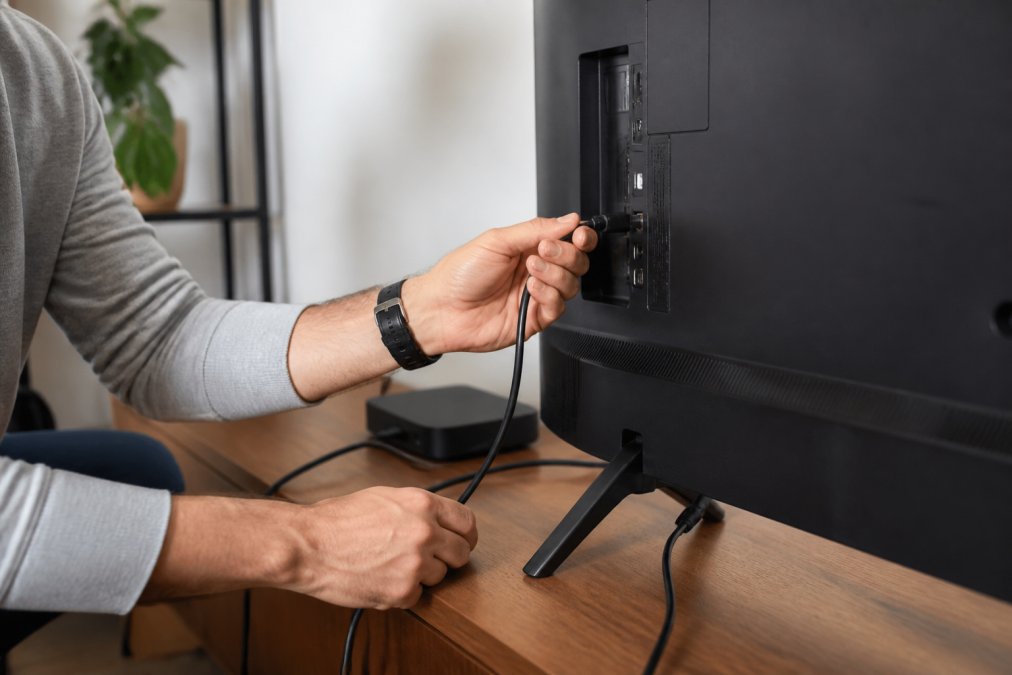
Step 2: Power On and Initial Setup (Time: 3 minutes)
Turn on your television and switch to the HDMI input where you connected the Superbox S7 Max. Power on the device using the included remote control. The device will boot up and display the initial setup screen within 30-60 seconds.
Step 3: Connect to Broadband (Time: 5 minutes)
The setup wizard will prompt you to connect to your network. Select your WiFi network from the available list and enter your password. Alternatively, if you're using an Ethernet connection, connect the cable directly to the Ethernet port on the device. The device will test your connection and confirm it's working properly.
Step 4: Authenticate Streaming Services (Time: 10 minutes)
Once connected to the internet, the device will guide you through authenticating your streaming service accounts. You'll see options for Netflix, Hulu, Disney+, YouTube TV, and other services. Select each service you subscribe to and log in using your existing account credentials. The device stores these credentials securely, so you won't need to re-enter them.
Step 5: Customize Your Home Screen (Time: 5 minutes)
After authenticating your services, customize your home screen by selecting which apps appear prominently. Arrange your most-used streaming services for quick access. The interface allows you to create a personalized entertainment hub reflecting your viewing preferences.
Step 6: Test Playback (Time: 5 minutes)
Launch one of your streaming services and start playing content. Verify that video plays smoothly without buffering, audio syncs properly with video, and the remote controls navigation responsively. If you experience any issues, check your broadband connection speed and restart the device if necessary.
Expected result: Your television now functions as a comprehensive streaming platform, consolidating access to all your subscribed services through a single device and interface. You can navigate between services, search for content, and manage your entertainment without switching inputs or devices.
Hardware Specifications and Performance
The Superbox S7 Max is built on Android-based architecture, providing compatibility with the vast majority of streaming applications available today. The device runs a customized version of Android TV optimized for streaming workflows rather than general computing tasks.
Processing power comes from a multi-core processor designed to handle simultaneous app operation and smooth video playback. This means you can switch between streaming services without lag, search for content while video plays in the background, and maintain responsive navigation even with multiple apps running. The processor handles 6K video decoding, supporting the highest resolution content currently available from streaming platforms.
Memory specifications include sufficient RAM for smooth multitasking and storage capacity for app installation. The device comes with internal storage pre-loaded with popular streaming applications, eliminating the need to download and install them yourself. Additional apps can be installed from the Google Play Store, expanding functionality beyond pre-installed services.
Connectivity options include both WiFi and Ethernet ports. WiFi connectivity supports modern standards for adequate bandwidth, though Ethernet provides more stable performance for households with network congestion. The device includes Bluetooth capability for wireless headphones or other accessories.
Video output supports HDMI with resolution options up to 6K, ensuring compatibility with older televisions while supporting the latest 4K and 6K displays. Audio output includes both HDMI and optical connections for flexible home theater integration. The device automatically detects your television's capabilities and adjusts output settings accordingly.
The remote control includes dedicated buttons for major streaming services, allowing direct access to Netflix, Hulu, Disney+, and YouTube without navigating menus. Voice control functionality through the remote enables hands-free searching and navigation, useful for finding content without typing on a small keyboard.
Build quality emphasizes durability and thermal management. The device includes passive cooling to prevent overheating during extended use, eliminating loud fan noise common in some streaming boxes. The compact form factor fits easily in entertainment centers without requiring dedicated space or additional ventilation.
Cord cutting has shifted from niche choice to mainstream option, and the right equipment makes the transition seamless. The Superbox S7 Max from 2mepromo.com eliminates the complexity of managing multiple streaming services and devices. With 6K streaming support, responsive performance, and extensive app compatibility, it delivers the premium streaming experience cord cutters expect. Add to cart and transform your television into a comprehensive entertainment platform designed for modern cord-cutting households.
Frequently Asked Questions
How do I cut the cord with Superbox 7?
Cut the cord by replacing cable TV with a streaming device like Superbox 7. Connect the device to your television via HDMI, link it to your broadband internet, and download streaming apps for live TV and on-demand content. Superbox 7 delivers 6K streaming quality and access to multiple entertainment platforms without monthly cable fees, making it a direct cable replacement for most households.
What internet speed do I need for cord cutting?
Cord cutting internet requirements depend on your streaming quality. For standard HD streaming, 25 Mbps is sufficient. For UHD and 6K content on Superbox 7, aim for higher download speeds to avoid buffering. If multiple household members stream simultaneously, higher speeds provide buffer-free playback across devices. Check your broadband speed at speedtest.net to confirm your connection supports uninterrupted streaming.
Is it legal to use streaming boxes like Superbox 7?
Yes, streaming boxes like Superbox 7 are legal devices. They function as digital media players that access legal streaming services and apps. However, using them to access pirated content or unauthorized IPTV services violates copyright law. Superbox 7 is designed for legitimate streaming apps and subscription services, making it a legal cable replacement option for cord-cutting households.
How much money can I save by cutting the cord?
Cord cutting with Superbox 7 and streaming subscriptions (Netflix, Hulu, Disney+) can lead to significant savings compared to typical cable subscriptions. The Superbox S7 Max device costs $399, and many households find the investment is recouped through monthly subscription savings.
This article was written using GrandRanker
- Choosing a selection results in a full page refresh.
