Your cart is empty
Looks like you haven't added anything to your cart yet







VistaPrint vs DigitizedLogos for Branding: 2026 Comparison
Table of Contents
- VistaPrint vs DigitizedLogos: Two Different Paths to Branding
- Side-by-Side Comparison: Services, Deliverables, and Costs
- Custom Logo Design for Small Business: DIY Tools vs Professional Services
- Logo File Formats for Printing: What You Get and What You Need
- Custom Branded Apparel and Promotional Items: Where Each Service Fits
- Ownership, Licensing, and Brand Consistency Across Platforms
- Common Mistakes to Avoid When Choosing a Branding Service
- Conclusion: Which Service Matches Your Branding Goals?
- Frequently Asked Questions
Last Updated: October 21, 2026
VistaPrint vs DigitizedLogos: Two Different Paths to Branding
VistaPrint and DigitizedLogos solve different halves of the same problem, and confusing the two is the most expensive mistake a small business can make when building a brand, which is why this vistaprint vs digitizedlogos breakdown matters. VistaPrint is a print-on-demand shop: you upload artwork, it produces business cards, signage, and promotional goods.
The distinction matters because branding is not one purchase. It is a chain of deliverables, and a weak link anywhere in that chain shows up on a trade show table or a staff polo shirt.
Key Takeaway
Neither service is a complete branding partner. VistaPrint finishes the job; DigitizedLogos prepares the files. Most small businesses need both, or a vendor that handles both under one roof.
Side-by-Side Comparison: Services, Deliverables, and Costs
Most ranking pages compare logo makers to logo makers or printers to printers. This query is different: it asks you to weigh a print-on-demand shop against a design and digitizing service. That is not an apples-to-apples matchup, and the fastest way to waste money is to treat it like one. Here is the direct comparison the search results skip.
| Factor | VistaPrint | DigitizedLogos |
|---|---|---|
| Core service | Print and promotional products, plus self-serve design tools | Logo design, vector cleanup, and embroidery digitizing |
| What you actually receive | Finished printed goods shipped to you | Digital files: vector artwork and stitch files |
| Design approach | Templates, DIY editing, AI-assisted generation | Professional design and file conversion |
| Editing model | Self-serve; you edit in the browser | Revisions handled by the service |
| Apparel capability | Printed apparel and merchandise | Embroidery-ready files, not finished garments |
| File formats delivered | Print-ready exports of your uploaded or template design | Vector formats (SVG, EPS, AI, PDF) and stitch formats (DST, PES, EXP, JEF) |
| Ownership and licensing | Governed by the platform's terms; template-based designs carry usage limits | Governed by the service agreement; confirm commercial-use and source-file rights in writing |
| Revision policy | Self-serve edits; no design revision rounds | Revision rounds defined by the service; ask how many and whether digitized files are included |
| Best-fit buyer | Small business needing printed materials fast with artwork in hand | Small business needing clean, production-ready artwork, especially for embroidery |
| Typical cost drivers | Product type, quantity, paper stock, finishing, shipping speed | Logo complexity, number of stitch colors, file formats requested, revision rounds |
Where the two actually overlap
They overlap in exactly one place: apparel. VistaPrint prints on garments; DigitizedLogos prepares files that embroidery machines can stitch. If your plan includes embroidered polos or caps, you need a digitized file before any production vendor can quote the job. If your plan is screen-printed tees, a clean vector file is enough and the digitizing step is optional.
The cost question that matters
Headline prices are misleading for both services because neither publishes a single flat rate that covers a real branding project. VistaPrint's cost scales with product, quantity, and finishing options; DigitizedLogos's cost scales with artwork complexity and the number of formats and revisions you request.
A common pattern is paying twice: once for a DIY logo that exports as a flat raster image, then again to have it rebuilt as vector artwork and digitized for embroidery. Budget for the second payment upfront and the first one disappears.
Key Takeaway
Neither service is a complete branding partner. VistaPrint finishes the job; DigitizedLogos prepares the files. Compare them on deliverables and ownership terms, not on catalog prices.
Custom Logo Design for Small Business: DIY Tools vs Professional Services
Custom logo design for small business splits into two camps: template-driven DIY tools and professional design services.
The DIY route wins on speed and cost. It loses on originality, because templates get reused, and on file quality, because template exports often arrive as flat raster images rather than clean vector files. That gap bites later.
A common mistake is treating a logo as a one-off image instead of a brand system.
Watch Out
Skipping professional design to save money often costs more later. Rebuilding a logo as vector artwork and re-digitizing it for embroidery typically costs more than commissioning it correctly the first time.
Logo File Formats for Printing: What You Get and What You Need
Logo file formats fall into three families, and knowing which one you hold determines what you can produce without rework. Competitors usually stop at "vector vs. raster." The digitizing angle adds a third family most branding articles ignore: stitch files.
- Vector files (SVG, EPS, AI, PDF): built from math, scale to any size without loss, editable, and the format printers and embroiderers prefer. A vector logo can go from a business card to a building sign without redrawing.
- Raster images (PNG, JPEG, TIFF): built from pixels, fixed at the resolution they were created. A JPEG that looks sharp at business-card size shows soft edges and compression artifacts when enlarged to a retractable banner.
- Stitch files (DST, PES, EXP, JEF): the formats embroidery machines read. They are not images; they are instructions for needle paths, stitch order, underlay, and color changes. A PNG cannot be "opened" by an embroidery machine any more than a stitch file can be printed.
What VistaPrint accepts vs. what it delivers
VistaPrint's upload flow accepts common raster and vector formats, but acceptance is not suitability. A low-resolution JPEG will upload fine and print badly. The practical rule: supply vector artwork for anything larger than a business card, and supply high-resolution raster only when vector is unavailable. VistaPrint returns print-ready exports of the design you supplied or built in its tools; it does not return an editable source vector unless your input was vector to begin with.
What DigitizedLogos delivers
DigitizedLogos sits on the file-preparation side. Its output is the artwork itself: vector logo files you can hand to any printer, plus stitch files for embroidery. That is the deliverable most DIY tools never produce, and it is why a logo that looks fine on a website can stitch badly on a cap.
Why a sharp screen logo can stitch badly
Digitizing is not tracing. A digitizer decides stitch type (running, satin, fill), underlay to stabilize fabric, stitch density, pull compensation, and color sequence. Skip those decisions and a logo with fine text or thin lines turns into a colored blob at ten feet. Fabric type matters too: a dense fill that works on a canvas tote can pucker a lightweight polo.
A practical file checklist
- Request vector files in SVG, EPS, AI, and PDF
- Request a high-resolution PNG for web and social use
- Request stitch files in the format your embroiderer's machine reads (DST and PES cover most shops)
- Confirm you receive the editable source file, not just exports
- Confirm commercial-use and resale rights in writing
- Test the logo at three sizes: favicon, business card, and banner
- Test one small embroidered item before a bulk apparel order
Watch Out
A logo that only exists as a PNG will not scale to a banner, will not embroider cleanly, and will not survive a printer's file check. Ask for the source file before you pay, not after.
Custom Branded Apparel and Promotional Items: Where Each Service Fits
Custom branded apparel and promotional items are where the two services stop overlapping and start complementing each other.
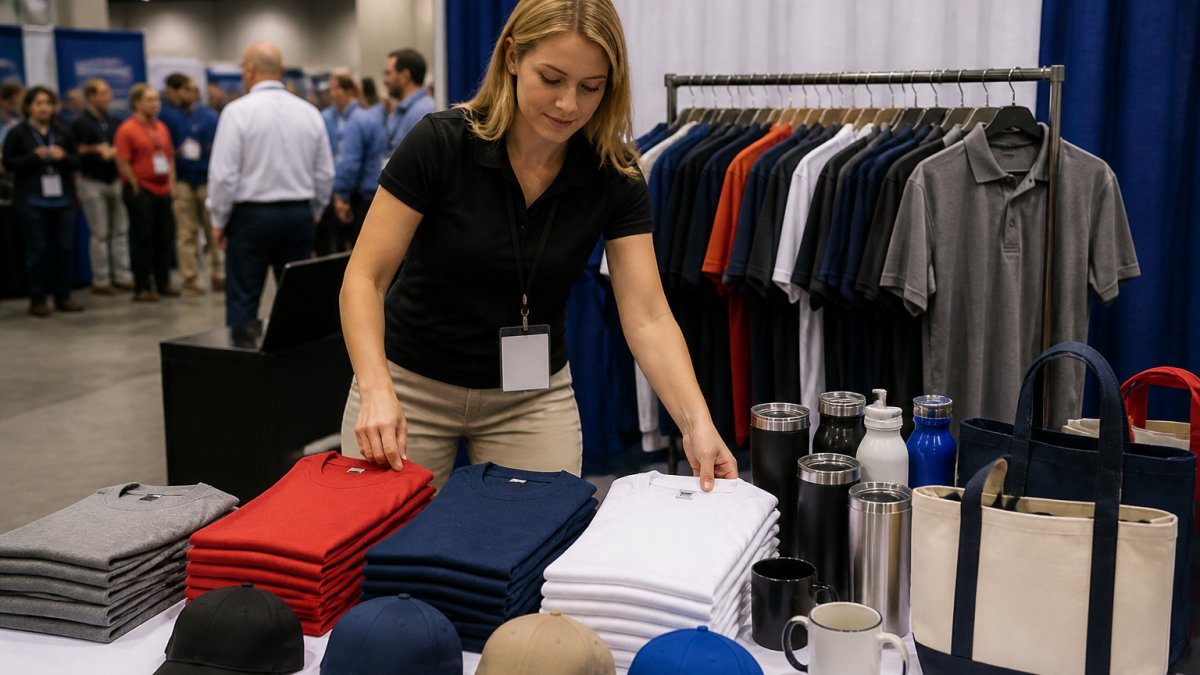
The practical workflow runs in one direction. Design or digitize the artwork first, then send it to production.
For organizations ordering across categories at once, a single vendor that handles design, apparel, signage, and promotional items reduces the handoff risk.
Pro Tip
Test a new logo on a small embroidered item before committing to a bulk apparel order. A cap or polo reveals stitch problems that a screen never will.
Ownership, Licensing, and Brand Consistency Across Platforms
Ownership and licensing determine what you can legally do with your own logo, and most buyers never ask.
Brand consistency across platforms depends on two things: a master file everyone works from, and clear rules for how it is applied. Without a source file, every new vendor recreates the logo from a screenshot, and the mark drifts.
- Confirm in writing whether you receive the editable source file
- Confirm commercial use rights for merchandise and resale
- Store one master vector file and distribute copies, never edits
- Give every vendor the same file and the same usage notes
That discipline is what keeps a logo looking identical on a website, a banner, a business card, and a staff uniform.
Common Mistakes to Avoid When Choosing a Branding Service
Most branding service mistakes trace back to buying a deliverable without checking what comes with it. The fix is a short verification list before any order.
- Confirm the exact file formats you will receive, including vector and source files
- Confirm who owns the artwork and whether commercial use is included
- Confirm the revision policy and how many rounds are covered
- Confirm the file is digitized for embroidery if apparel is on the plan
- Confirm turnaround time in writing against your event date
- Request samples or a portfolio from organizations similar to yours
- Confirm the vendor can handle your full order, not just one product category
The revision policy deserves extra attention. Unlimited edits sounds generous until you learn they apply to one deliverable and not the digitized apparel file. Ask specifically.
Conclusion: Which Service Matches Your Branding Goals?
Choose VistaPrint when you need printed materials and promotional goods fast and can supply production-ready artwork yourself. Choose DigitizedLogos when the gap is design or file conversion, especially for embroidery. If your goal is a coordinated brand across apparel, signage, and events, a single partner removes the handoff problem entirely.
Frequently Asked Questions
What should a small business compare when choosing between VistaPrint and DigitizedLogos?
Compare the deliverables, not just the sticker price. VistaPrint bundles logo design with printing and offers templates and DIY tools, but you need to confirm what file formats you receive and whether you own the source files. DigitizedLogos focuses on digitizing artwork for embroidery and apparel production, so ask about stitch file formats and print-ready vector output. Also check revision policies, turnaround times, and commercial use rights. Request sample files and ask how each service handles brand consistency across business cards, signage, and apparel before you commit.
Can I use a VistaPrint logo on custom apparel and promotional items?
It depends on the license terms attached to your order. VistaPrint's design tools generate files you can typically use on products you order through their platform, but the usable formats may be limited to raster images like PNG or JPEG. For embroidery and screen printing, you need vector files or digitized stitch files, which may require conversion. Before ordering apparel elsewhere, confirm you have the correct logo file formats for printing and that your license permits commercial use on third-party products. Request source files in writing.
Which service is better for logo file formats and print readiness?
DigitizedLogos specializes in preparing artwork for production, including embroidery digitizing and vector conversion, so it is the stronger choice if you need print-ready artwork for apparel, signage, or merchandise. VistaPrint provides files suited to its own printing workflow, but you should verify resolution and format before using those files with other vendors. For any branding project, ask for vector files (AI, EPS, SVG) and high-resolution PNGs. Blurry printing and inconsistent colors usually trace back to low-resolution raster images, so confirm file specs early.
How do I choose between a logo maker and a custom branding provider?
A logo maker or DIY design tool works if you need a simple mark quickly and plan to order matching products from the same platform. Choose a custom branding provider if you need embroidery-ready files, consistent brand identity across multiple product types, or help fixing messy artwork from an old designer. Consider your volume: bulk orders and seasonal designs benefit from a provider that understands production and fulfillment. Ask both about design revisions, turnaround time, and who owns the final files before deciding.
Building a brand across print, apparel, and events means coordinating files, formats, and vendors, and one weak file can undo months of work. 2mepromo.com handles tailored branding programs for government agencies and small businesses, from custom apparel and signage to promotional items, with an expert team that preps your artwork for production. Get started with 2mepromo.com and put one team in charge of your brand from file to finished product.
- Choosing a selection results in a full page refresh.
